

This revised report explains Google’s Free ‘PC Upgrade’: What ChromeOS Flex Can and Cannot Do in a cleaner structure, retaining the original article’s core technical details and context.
Updated and fact-checked: Google’s April 2026 campaign described ChromeOS Flex as a free way to modernise ageing Windows or Mac hardware. It is an operating-system replacement, not a free hardware upgrade or a Windows 11 licence. Google and Back Market also promoted a ChromeOS Flex USB kit to simplify installation on supported devices.
What the original headline means now
The headline is useful only if the trade-off is clear: installing ChromeOS Flex changes the operating system and may remove access to Windows-only applications, drivers and workflows.
Breaking-news headlines are often written at the moment when only part of the picture is visible. For that reason, this rewrite separates the first report from later confirmed developments. The aim is to preserve the news value of the original story while giving readers a clearer account of what was known at the time, what changed afterwards, and which claims still require attribution or caution.
Why this story matters
For compatible older laptops used mainly for web apps, email and cloud tools, ChromeOS Flex can extend useful life. For specialist software, PC gaming, local peripherals or enterprise tools, migration may be unsuitable.
The wider significance also depends on context. A single announcement, market move, quote or early report can be important without being the final word. Readers get a more reliable picture by looking at the institutions involved, the timeline, the practical consequences and the difference between an official decision and a proposal, allegation or prediction.
How to read fast-moving reports carefully
There are four useful checks for stories like this. First, identify the source of the central claim: an official statement, named spokesperson, court filing, regulator, company announcement, market data or anonymous source. Second, check the date, because later events can materially change the meaning of an earlier headline. Third, separate a stated intention from an action that has actually happened. Finally, look for independent confirmation where the subject is contested or where the information comes from one side of a dispute.
This is especially important in tech coverage, where developments can move quickly and the same event may be described differently by governments, companies, unions, campaign groups, market participants or other interested parties. Attribution is not a technicality; it tells the reader who is making a claim and how much confidence to place in it.
What readers should watch next
Before installing, back up all files, check Google’s certified-model list, test hardware compatibility and verify that essential apps have web or ChromeOS alternatives.
Future updates should be judged against primary or authoritative information wherever possible. That may mean a government department, regulator, company newsroom, official sports body, transport authority, market operator or other directly responsible institution. Secondary reporting remains valuable for context and scrutiny, but the strongest update normally identifies what is confirmed and what remains interpretation.
Questions readers may have
Is the original headline still accurate?
It describes the news moment that prompted the article, but later developments may have changed the position. The update above explains the most important change and should be read before older details in the original report.
Why keep the original topic instead of replacing the article entirely?
The URL may already be indexed, linked or shared. Updating the same page can preserve that history while making the content more useful. The important part is to make the revision transparent, correct material errors and avoid presenting superseded information as current fact.
What is the safest way to use this information?
Treat it as a current explainer rather than a substitute for live professional, legal, financial, medical or travel advice. Where a decision has real consequences, verify the latest position with the responsible organisation before acting.
Background and original reporting context
The global PC landscape is undergoing a major transformation in 2026—and at the center of it is a bold move by Google that could impact over 500 million Windows users worldwide. As millions of aging computers face the end of support for Windows 10, Google has stepped in with an unexpected solution: a free PC upgrade path that doesn’t require buying a new device.
This development is more than just a tech headline—it’s a shift that could reshape how users think about operating systems, device longevity, and even electronic waste.
Source & News Timing
- Primary Source: Forbes
- Published: April 7, 2026 (reported within the last 24 hours)
- Additional reporting from Dataconomy (April 7, 2026)
The Big Problem: 500 Million Windows PCs at Risk
To understand why Google’s move is so significant, you need to look at the growing crisis in the Windows ecosystem.
️ End of Windows 10 Support
Microsoft officially ended support for Windows 10 in October 2025, meaning:
- No more security updates
- No bug fixes
- Increased vulnerability to cyberattacks
This leaves millions of users exposed to malware and hacking threats.
According to industry data:
- Around 1 billion PCs still run Windows 10
- Roughly 500 million of those cannot upgrade to Windows 11 due to hardware restrictions
That’s half a billion devices facing a difficult choice:
Buy a new computer
Risk using an unsupported system
Or find an alternative
Google’s Solution: A Free PC Upgrade
Google’s answer is simple—but powerful:
Install ChromeOS Flex for free
This lightweight operating system is designed to:
- Run on older PCs and Macs
- Replace Windows entirely
- Deliver a modern, secure experience
And the best part?
It’s completely free to download and install
According to reports, Google has positioned ChromeOS Flex as a direct alternative to Windows upgrades, especially for users who are locked out of Windows 11.
️ What Is ChromeOS Flex?

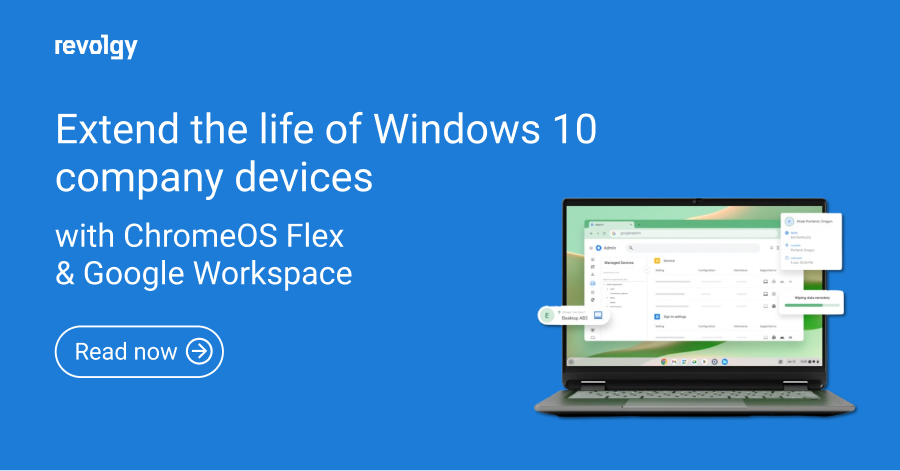
ChromeOS Flex is a cloud-first operating system based on the same platform used in Chromebooks.
Key Features
- Fast boot times
- Automatic updates
- Built-in security protections
- Integration with Google services
- Lightweight performance on older hardware
Unlike traditional Windows systems, ChromeOS Flex is designed for:
- Web browsing
- Cloud apps
- Remote work
- Education
Why 500 Million Users Need This Upgrade
The scale of this issue cannot be overstated.
Windows 11 Compatibility Problem
Windows 11 introduced strict requirements such as:
- TPM 2.0 security chip
- Modern CPUs
- Secure Boot
Millions of older PCs simply don’t meet these criteria.
As a result:
- Devices still work—but cannot upgrade
- Users are forced into buying new hardware
- E-waste risks increase dramatically
Experts estimate that hundreds of millions of PCs could be discarded prematurely if no alternative is found
Environmental Impact: Reducing E-Waste
One of Google’s strongest arguments is sustainability.
According to reports:
- Manufacturing a new laptop contributes significantly to carbon emissions
- Extending device life reduces environmental damage
- ChromeOS Flex can lower energy consumption by ~19%
This makes the initiative not just a tech solution—but an environmental one.
️ How the Free Upgrade Works
Upgrading to ChromeOS Flex is surprisingly simple.
️ Installation Steps
- Download ChromeOS Flex from Google
- Create a bootable USB drive
- Restart your PC and boot from USB
- Install the OS
Google even introduced a low-cost USB kit (around $3) to simplify the process
ChromeOS Flex vs Windows 11
Here’s how the two options compare:
| Feature | ChromeOS Flex | Windows 11 |
|---|---|---|
| Cost | Free | Free (if eligible) |
| Hardware Requirements | Low | High |
| Performance on old PCs | Excellent | Limited |
| App Ecosystem | Web-based | Full desktop apps |
| Security | Strong | Strong |
| Offline capability | Limited | Full |
Pros of Google’s Free Upgrade
️ Extend Your PC’s Life
No need to buy a new device.
️ Improved Security
Automatic updates reduce cyber risks.
️ Faster Performance
Especially noticeable on older machines.
️ Eco-Friendly Choice
Helps reduce global e-waste.
Potential Downsides
No Native Windows Apps
You can’t run traditional.exe programs.
Learning Curve
Interface differs from Windows.
Internet Dependence
Many features require connectivity.
Who Should Consider This Upgrade?
ChromeOS Flex is ideal for:
- Students
- Remote workers
- Casual users
- Businesses with aging hardware
It may NOT suit:
- Gamers
- Video editors
- Software developers needing Windows apps
Google vs Microsoft: A Strategic Battle
This move is also a competitive play.
While Microsoft pushes users toward:
- Buying new hardware
- Upgrading to Windows 11
Google is offering:
- A free alternative
- No hardware restrictions
This could disrupt Microsoft’s upgrade cycle significantly.
Market Impact: A Billion-Device Opportunity
Industry data shows:
- ~500 million PCs can upgrade but haven’t
- ~500 million cannot upgrade at all
That’s a 1 billion-device opportunity—and Google is targeting the most vulnerable half.
Security Concerns Driving the Shift
Running unsupported Windows systems is risky:
- No security patches
- Increased malware exposure
- Data breach risks
Experts warn that continuing on outdated systems could leave users “open to fraud and hacking.”
This makes alternatives like ChromeOS Flex increasingly attractive.
Alternatives to ChromeOS Flex
If you’re not ready to switch, here are other options:
1. Upgrade to Windows 11
- Only if your PC is compatible
2. Buy a New PC
- Expensive but future-proof
3. Use Linux
- Free but more technical
4. Pay for Extended Support
- Temporary solution from Microsoft
Why This Story Is Trending in 2026
This topic is dominating tech headlines because it combines:
- Security risks
- Environmental concerns
- Cost savings
- Big Tech competition
It also affects hundreds of millions of everyday users, making it highly relevant for Google Discover and search trends.
Final Verdict: Should You Upgrade?
Google’s free PC upgrade offer is not just a workaround—it’s a real alternative to buying a new computer.
Choose ChromeOS Flex if:
- Your PC can’t run Windows 11
- You mainly use web apps
- You want a free, secure solution
Stick with Windows if:
- You rely on desktop software
- You need high-performance computing
Conclusion
The announcement that Google is offering a free PC upgrade for 500 million Windows users marks a turning point in the tech industry.
It challenges the traditional upgrade cycle, extends the life of millions of devices, and provides a practical solution to a growing global problem.
As Windows 10 fades into history, users now face a critical choice:
Upgrade hardware
Stay vulnerable
Or embrace a new ecosystem
With ChromeOS Flex, Google is making that third option more compelling than ever.


